Qwiic_OLED_Base_Py





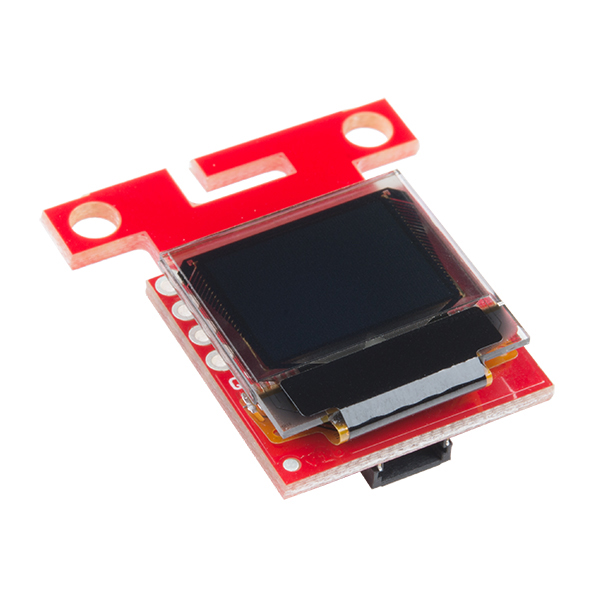
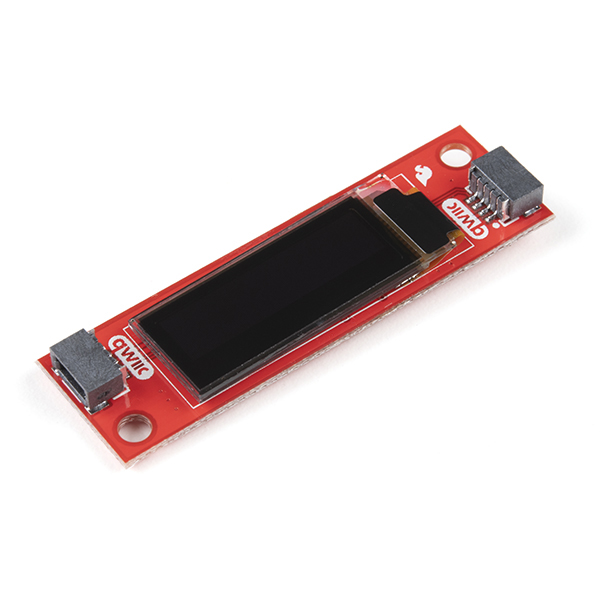
The base (superclass/parent) Python package for the Qwiic_Micro_OLED_Py and Qwiic_OLED_Display_Py derived (subclass/child) Python packages, which are intended for the qwiic Micro OLED and OLED Display boards.
This package is a port of the SparkFun Micro OLED Breakout Arduino Library
This package can be used in conjunction with the overall SparkFun qwiic Python Package
New to qwiic? Take a look at the entire SparkFun qwiic ecosystem.
Contents
Supported Platforms
The qwiic Python package current supports the following platforms:
Dependencies
This driver package depends on the qwiic I2C driver: Qwiic_I2C_Py
Documentation
The SparkFun qwiic OLED Base module documentation is hosted at ReadTheDocs
Installation
PyPi Installation
This repository is hosted on PyPi as the sparkfun-qwiic-oled-base package. On systems that support PyPi installation via pip, this library is installed using the following commands
For all users (note: the user must have sudo privileges):
sudo pip install sparkfun-qwiic-oled-base
For the current user:
pip install sparkfun_qwiic_oled_base
Local Installation
To install, make sure the setuptools package is installed on the system.
Direct installation at the command line:
python setup.py install
To build a package for use with pip:
python setup.py sdist
A package file is built and placed in a subdirectory called dist. This package file can be installed using pip.
cd dist
pip install sparkfun_oled_base-<version>.tar.gz
Example Use
This example is intended to be used with the Micro OLED Breakout board. (See the examples directory for more detailed use cases.)
import qwiic_oled_base
import sys


def runExample():

    #  These lines of code are all you need to initialize the OLED display and print text on the screen.

    print("\nSparkFun Micro OLED Hello Example\n")
    myOLED = qwiic_oled_base.QwiicOledBase()

    if myOLED.is_connected() == False:
        print("The Qwiic Micro OLED device isn't connected to the system. Please check your connection", \
            file=sys.stderr)
        return

    #  Before you can start using the OLED, call begin() to init all of the pins and configure the OLED.
    myOLED.begin()

    myOLED.clear(myOLED.PAGE)  #  Clear the display's buffer

    myOLED.print("Hello World")  #  Add "Hello World" to buffer

    #  To actually draw anything on the display, you must call the display() function.
    myOLED.display()

runExample()

Table of Contents
Contents:
API Reference
- API Reference
- qwiic_oled_base
QwiicOledBaseQwiicOledBase.begin()QwiicOledBase.circle()QwiicOledBase.clear()QwiicOledBase.connectedQwiicOledBase.contrast()QwiicOledBase.display()QwiicOledBase.draw_bitmap()QwiicOledBase.draw_char()QwiicOledBase.flip_horizontal()QwiicOledBase.flip_vertical()QwiicOledBase.font_heightQwiicOledBase.font_typeQwiicOledBase.font_widthQwiicOledBase.get_font_height()QwiicOledBase.get_font_start_char()QwiicOledBase.get_font_total_char()QwiicOledBase.get_font_type()QwiicOledBase.get_font_width()QwiicOledBase.get_lcd_height()QwiicOledBase.get_lcd_width()QwiicOledBase.get_screenbuffer()QwiicOledBase.get_total_fonts()QwiicOledBase.heightQwiicOledBase.invert()QwiicOledBase.is_connected()QwiicOledBase.line()QwiicOledBase.line_h()QwiicOledBase.line_v()QwiicOledBase.pixel()QwiicOledBase.print()QwiicOledBase.rect()QwiicOledBase.rect_fill()QwiicOledBase.scroll_right()QwiicOledBase.scroll_stop()QwiicOledBase.set_color()QwiicOledBase.set_column_address()QwiicOledBase.set_cursor()QwiicOledBase.set_draw_modee()QwiicOledBase.set_font_type()QwiicOledBase.set_page_address()QwiicOledBase.widthQwiicOledBase.write()
Examples
Other Links